How I’ve used Noteshell since Day 1
About Noteshell.
First of all, one thing I have kept in mind since Day 1 of building Noteshell is that the idea came from my own problem (to know more, maybe you can take a look at my other article). And since then, I have wanted Noteshell to be helpful, at least for myself first, then for my friends, and then for the public.
Day 1: That food is uneatable
In software development, you might have heard of the term “dogfooding”, which means a company uses its own products internally. The idea is to act as customers and use the products before giving them to customers. And starting a company is like learning how to cook, and eating the food yourself.
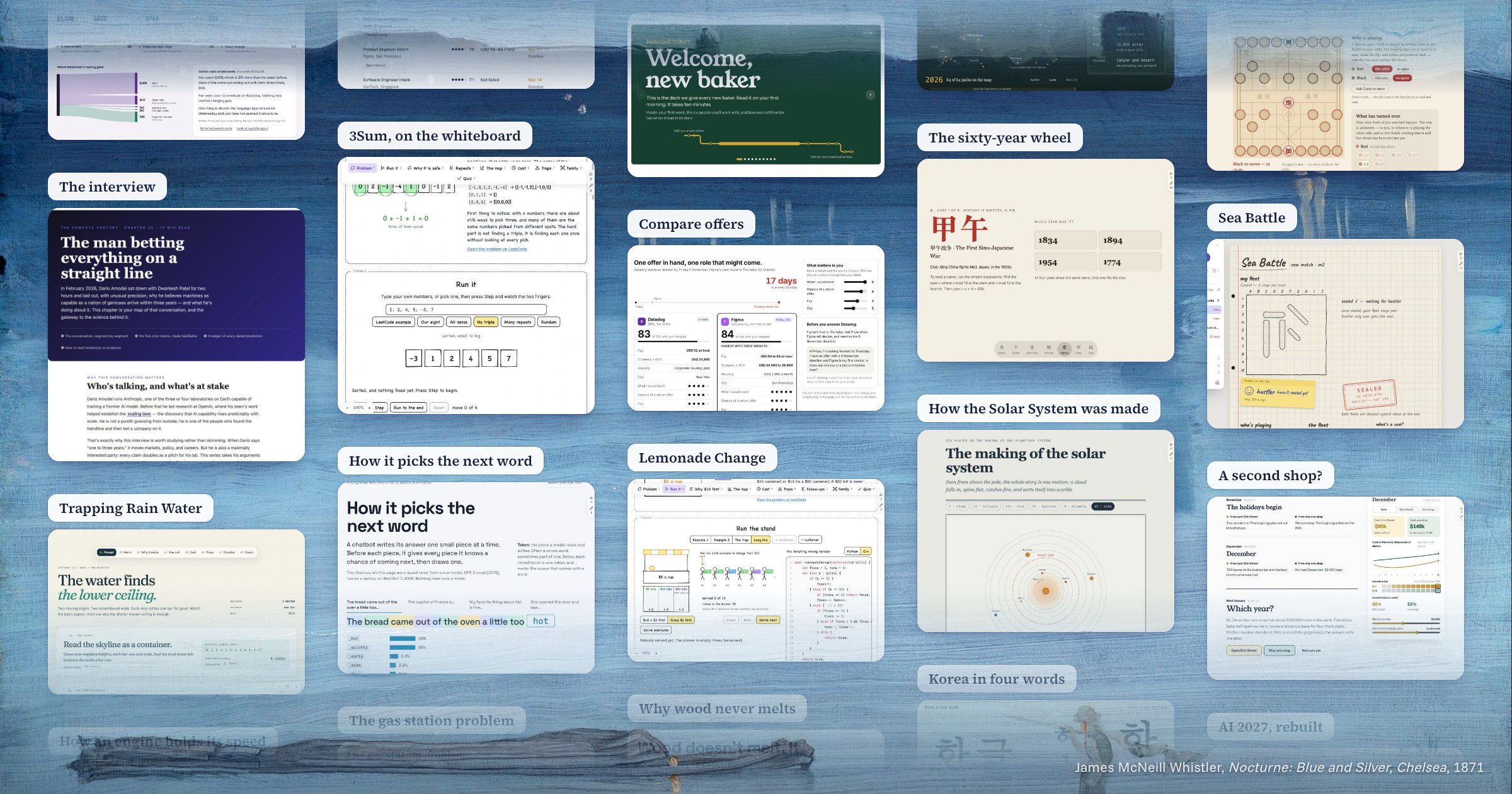
At first, our team was only three very young guys (with some experience from internships) trying to come up with some very big ideas. But like a child who has no prior knowledge of how to cook a serious dish, yet wants to serve it in a big restaurant, our food was terrible. We were lost in ideas, and we could not even use our very first prototypes ourselves. But at that time, we did not know much about how to improve our idea or our product, other than to keep pushing: building and using at the same time.
Day 10: McDonald’s
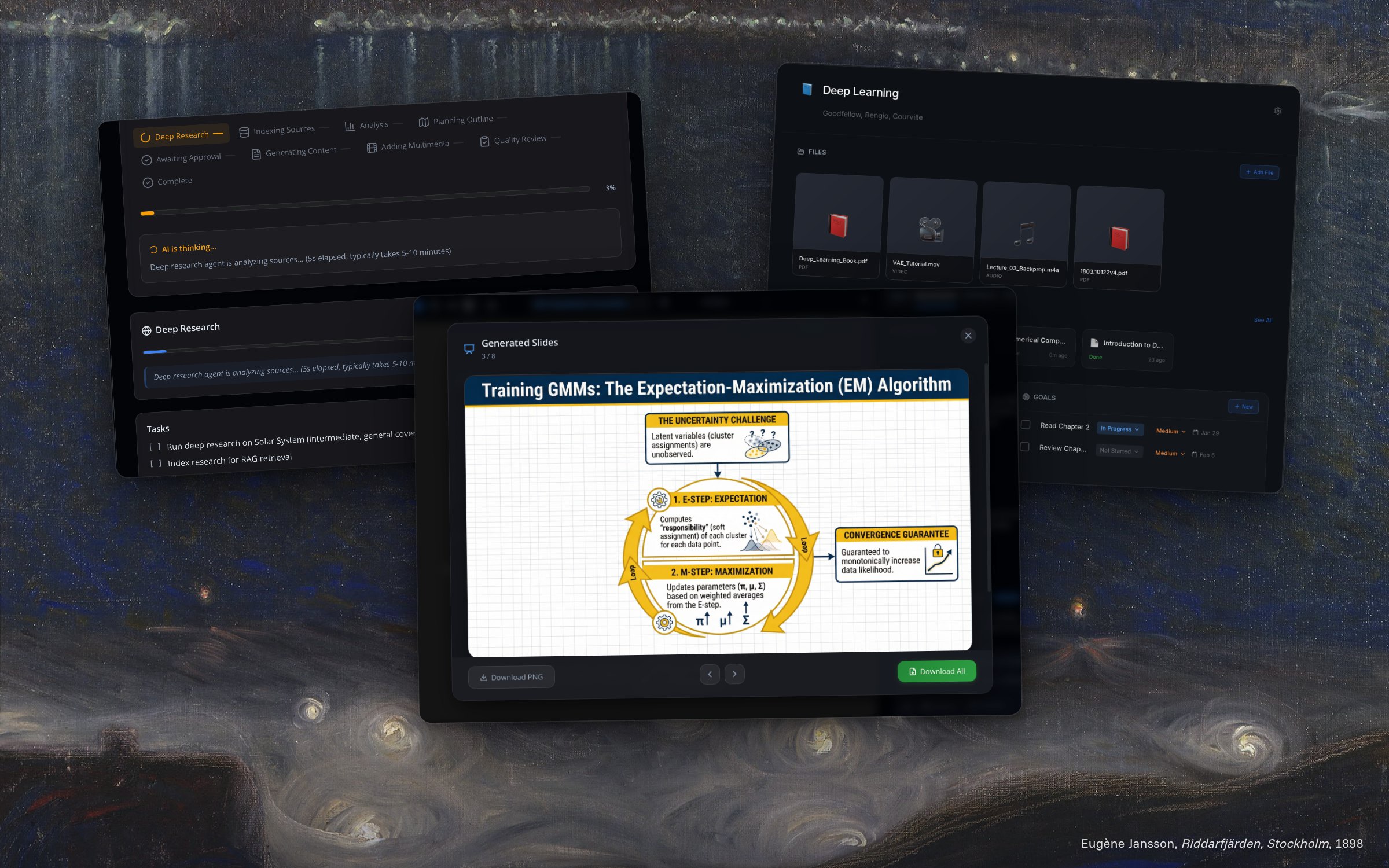
As we were struggling to “eat” our own food, we realized that the “food” was not good enough for us to eat, and therefore not good enough for customers to consume. So we decided to pivot Noteshell. And like a cook who has suffered through many failures, we knew better how to build a true product. This time, we built a very solid foundation for Noteshell, one that we are still using today.
As a result, after one month of cooking, we handed our first version to some of our very early users. The results were improving, but our users still could not get much use out of Noteshell. So from that, I decided to spend more time on the customers’ side, which meant using our product more to think of really useful use cases for our users. We think that for every new product, not many customers know what to do with it, or want to spend their time cracking their brains to figure it out. That’s when we tried so hard to use the product and iterate on it, so that it served more of our purposes. It’s just like eating McDonald’s every hour: 24 burgers a day, 720 burgers a month. It’s hard and tedious, but it’s also the cheapest way to improve your product.
Day 30: Wingstop
After around “1,440 burgers” in two months, we had quite a vault of things Noteshell can do, and looking back, that was for sure the cheapest way to improve a product and figure out its direction. And from that vault, we could hand real use cases to our early users.
After three months, we have some active early users who use Noteshell to build their workspaces around job applications or research, or simply a space for the gym, project management, and more. That’s when we realized we were going in the right direction, and that we could free ourselves up a little bit to focus on the development side and on interviewing customers.
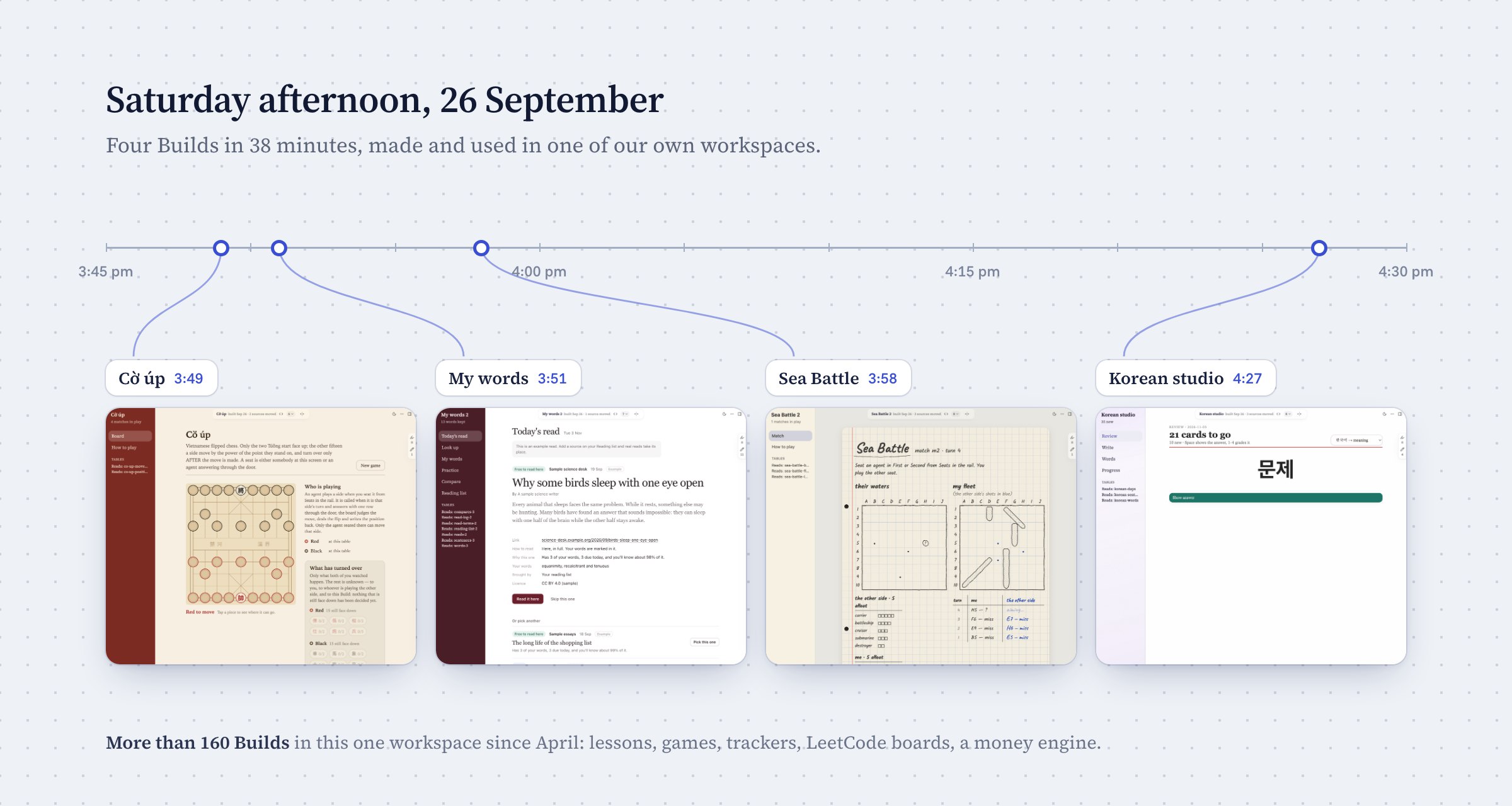
And here are some workspaces from our customers, as well as some of ours from our use case vault.
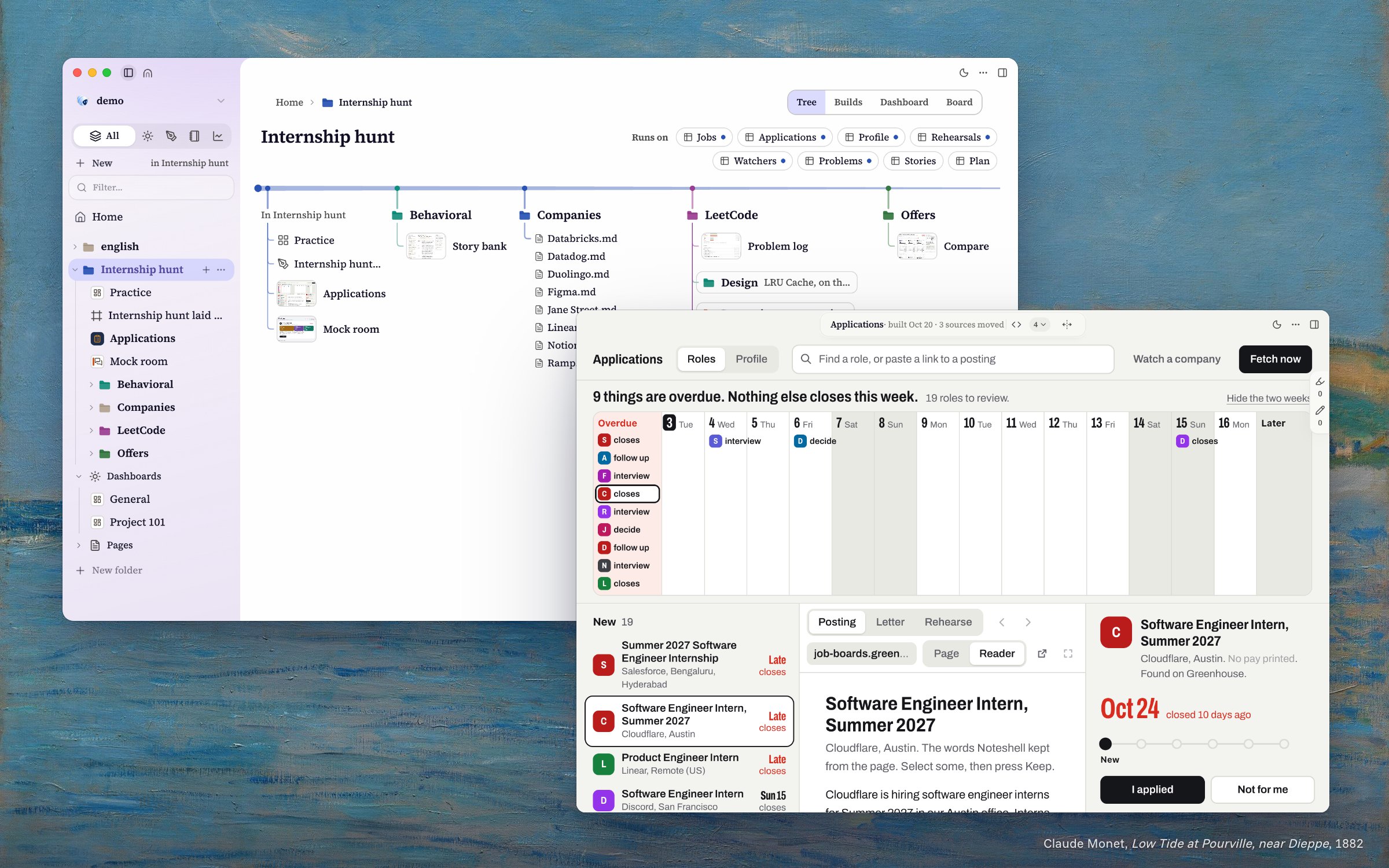
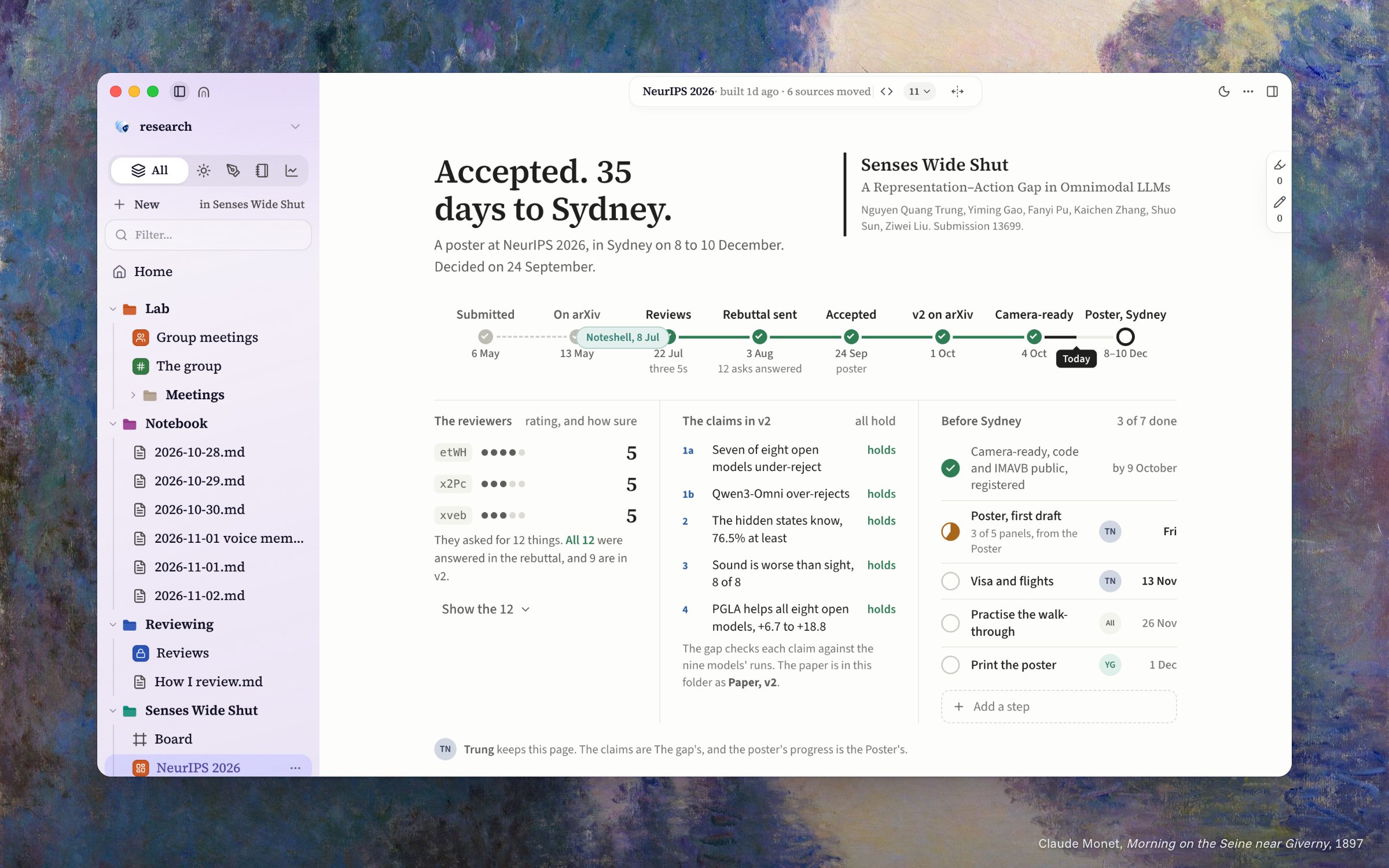
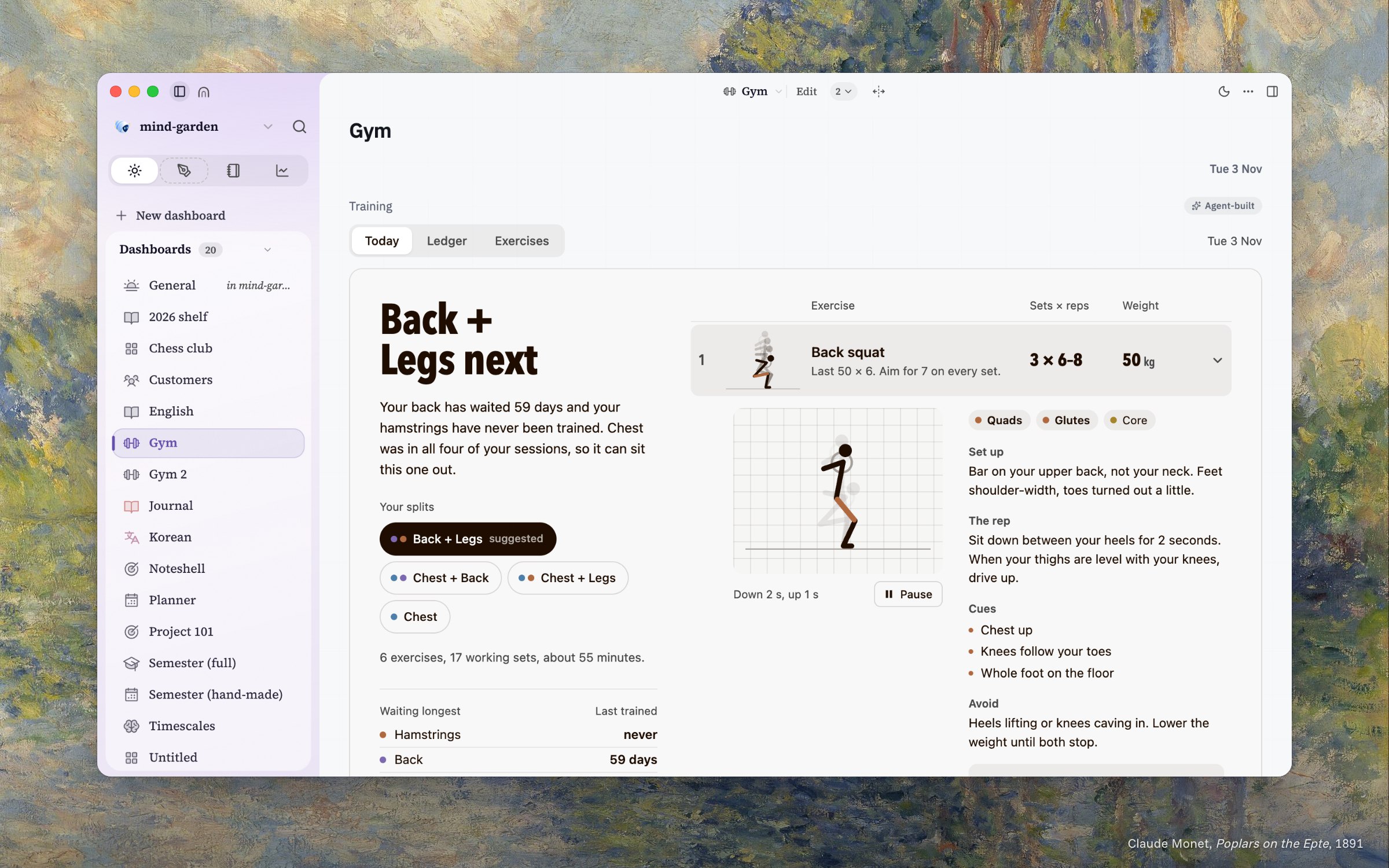
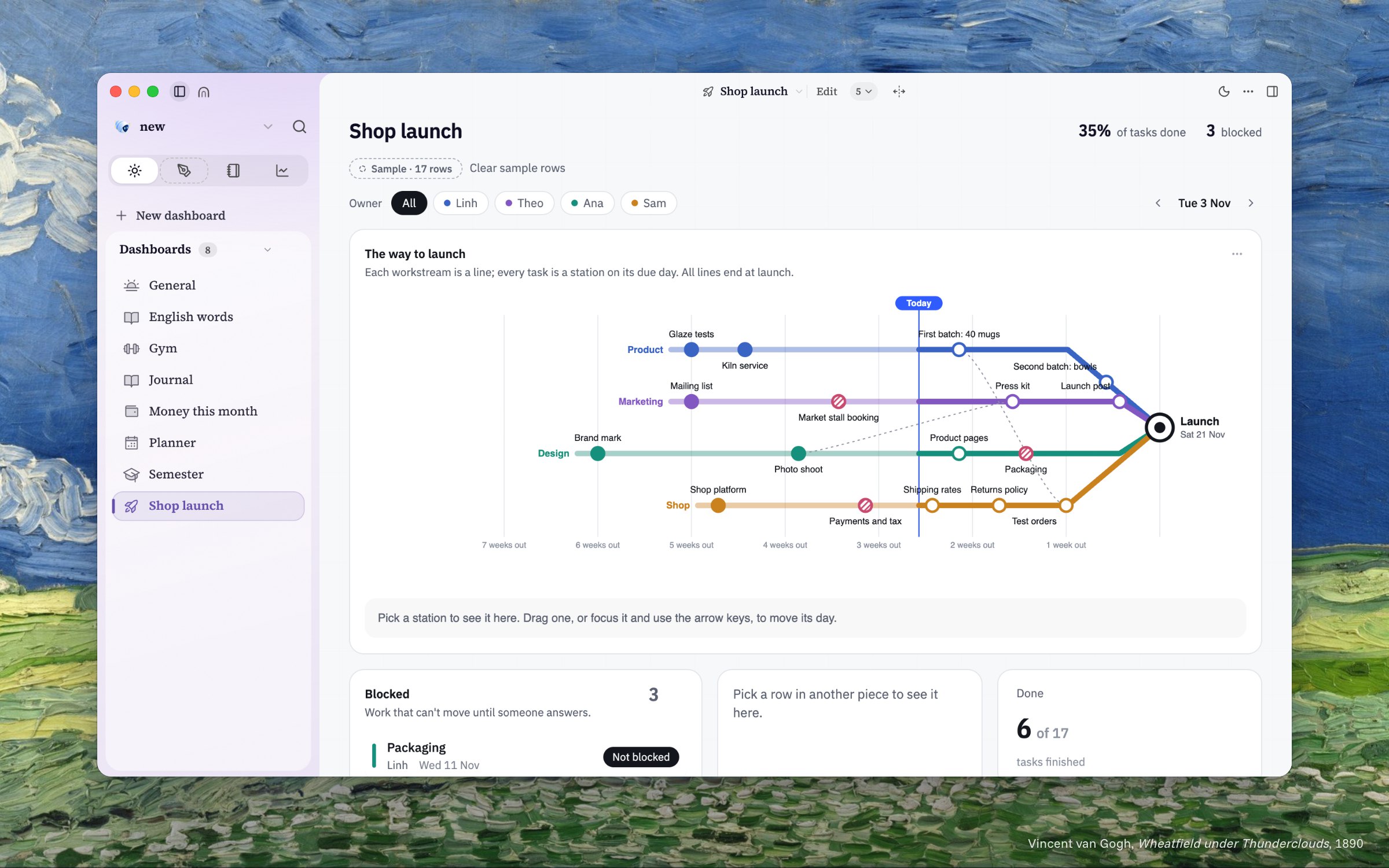
That is why I call this part Wingstop. It is still fast food, but now there is a menu. Same kitchen, same chicken, many flavors, and everyone can pick the one they like. A job hunt, a research paper, a gym plan, a small shop launch: it is the same Noteshell underneath, but every workspace tastes different, because every person is hungry for something different.
Day 90: A kitchen of your own
Looking back, the lesson for us is very simple: if we cannot eat our own food, nobody else will. Eating it every day is not always fun, and many days it is boring. But every “burger” told us something: a button nobody presses, a word nobody understands, a page that takes too long to open. No meeting could tell us those things as fast as our own stomachs did.
And we are still eating. We use Noteshell every day, for our own learning, our side projects, our gym plans, and even for building Noteshell itself.
But the biggest thing we learned is that people do not really want to eat from our menu. They want their own dish. One person wants to track forty job applications, another wants to keep a paper and its reviews in one place, and someone else just wants to know what to train today. So that is what Noteshell is becoming: a kitchen of your own. You tell your AI teammates what you are hungry for, and they cook it for you, a tracker, a board, a plan, and they keep it warm for you every day. And everything stays in folders on your own computer.
So now, after cooking for ourselves and then for our friends, it is time to cook for the public. Noteshell runs on macOS and Windows, and you can get early access at noteshell.io. And if the food is still not good, please tell us honestly. We will be the first ones to eat the next version.
Paintings (public domain), behind the pictures: James McNeill Whistler, Nocturne: Blue and Silver, Chelsea (1871); Eugène Jansson, Riddarfjärden, Stockholm (1898); Claude Monet, Low Tide at Pourville, near Dieppe (1882), Morning on the Seine near Giverny (1897), Poplars on the Epte (1891); Vincent van Gogh, Wheatfield under Thunderclouds (1890).